

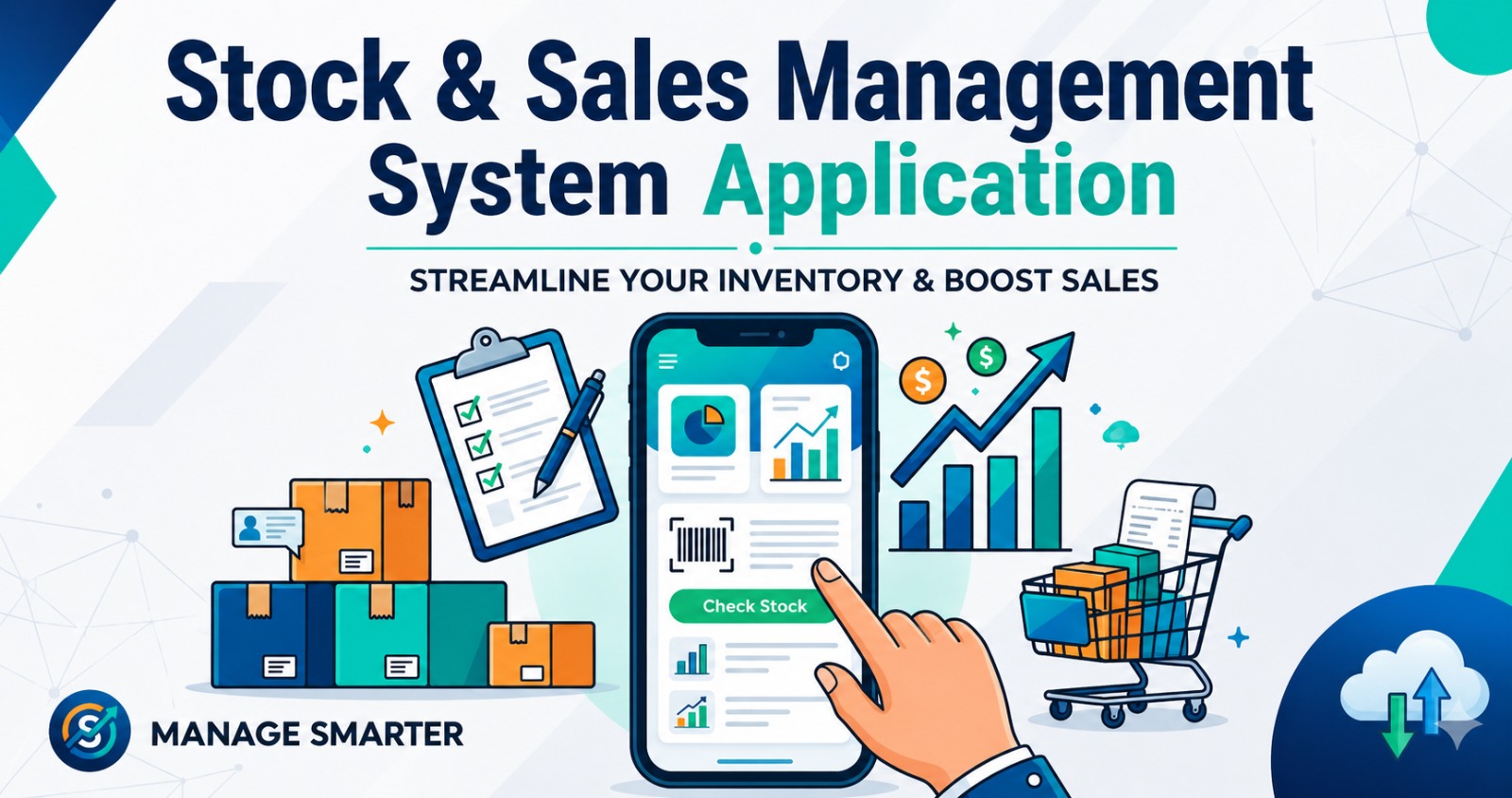
B2B SaaS Sales & Inventory Management System Application for Sale: Simplify Inventory Control with The Blue IT
Stock Sell POS Management System Application: A Smarter Way to Manage Inventory
Inventory is one of the most valuable assets of any business. Whether you operate a retail store, wholesale business, warehouse, manufacturing company, or distribution center, managing stock efficiently is essential for profitability and growth. A Stock Management System App helps businesses track inventory, monitor stock movement, reduce errors, and improve operational efficiency.
The Blue IT offers a modern and feature-rich Stock Management System App designed to simplify inventory management for businesses of all sizes. By automating stock-related processes, this application helps organizations save time, reduce costs, and make informed business decisions.
What Is a Stock Management System App?
A Stock Management System App is a software solution that enables businesses to manage inventory digitally. It records stock levels, tracks product movement, manages suppliers, monitors purchases and sales, and generates reports in real time.
Instead of relying on spreadsheets or manual record-keeping, businesses can use a centralized platform to maintain accurate inventory data. This helps eliminate stock discrepancies, prevent shortages, and improve inventory control.
In today’s competitive business environment, having a reliable stock management solution is no longer a luxury. It has become a necessity for businesses that want to operate efficiently and scale successfully.
Demo
Live Demo Site: axisagrobd.com
Admin URL: https://wholesale.axisagrobd.com
User ID: company@example.com
Pass: 12345678
Why Businesses Need a Stock Management System App
Managing inventory manually can be time-consuming and prone to errors. Incorrect stock records can lead to lost sales, overstocking, increased storage costs, and dissatisfied customers.
A Stock Management System App solves these challenges by providing accurate and real-time inventory information.
Key reasons businesses need this solution include:
- Better inventory visibility
- Reduced stock losses
- Improved order management
- Faster stock tracking
- Accurate reporting
- Enhanced productivity
- Better customer satisfaction
- Lower operational costs
With automated inventory management, businesses can focus more on growth and customer service instead of dealing with stock-related problems.
Key Features of The Blue IT Stock Management System App
Real-Time Inventory Tracking
The application provides real-time updates on stock levels. Every purchase, sale, return, or transfer is automatically recorded, ensuring inventory information remains accurate at all times.
Product Management
Businesses can easily add, update, and organize products within the system. Product details such as item codes, descriptions, categories, prices, and quantities can be managed through a simple dashboard.
Stock In and Stock Out Management
The app records all incoming and outgoing inventory transactions. This helps businesses monitor stock movement and maintain accurate records.
Purchase Management
Manage supplier purchases efficiently by tracking purchase orders, deliveries, invoices, and payment records within a single platform.
Sales Management Integration
The system can connect inventory operations with sales activities, automatically adjusting stock levels whenever products are sold.
Low Stock Alerts
Receive notifications when inventory reaches predefined minimum levels. This feature helps prevent stock shortages and ensures timely replenishment.
Supplier Management
Store and manage supplier information, purchase history, and communication records for better vendor relationships.
Warehouse Management
For businesses with multiple storage locations, the Stock Management System App enables efficient warehouse management and inventory transfers between locations.
Barcode Support
Barcode integration improves inventory accuracy and speeds up stock handling processes. Staff can scan products quickly during receiving, sales, and stock audits.
Reporting and Analytics
Generate detailed reports on stock levels, inventory valuation, sales trends, purchase history, and product performance. These insights help businesses make smarter decisions.
Functional Specification & Features Guide
This document lists and details the user-facing features, modules, and business workflows of the B2B SaaS Sales & Inventory Management System.
1. System Overview
Sale is a multi-tenant B2B Software-as-a-Service (SaaS) platform designed for companies to manage their product catalogs, physical warehouses, suppliers, purchase cycles, batch-tracked inventories, sales quotations, direct billing invoices, returns, and customer ledgers from a single unified portal.
2. Comprehensive Features List by Module
A. SaaS Administration & Tenancy (Super Admin Console)
- Tiered Subscription Plans:
- Define and manage subscription tiers (e.g. Basic, Standard, Enterprise).
- Configure pricing models and recurring intervals (monthly, quarterly, yearly, lifetime).
- Set resource thresholds per plan (maximum allowed warehouses, maximum allowed products).
- Enable/disable advanced feature blocks per plan using dynamic configurations.
- Company (Tenant) Enrollment:
- Register new business tenants in the system.
- Define unique, search-engine-friendly URLs (tenant slugs).
- Customize company branding by uploading tenant logos.
- Register physical corporate addresses, telephone numbers, websites, and emails.
- Manage activation states: instantly enable, disable, or suspend tenant access.
- Map subscription plans and manage system-calculated plan expiration.
- Global Performance Metrics:
- High-level indicators tracking overall active companies, plan distributions, and total platform revenue.
B. Setup & Configurations (Company Workspace Settings)
- Subscription & License Safeguarding:
- Automatic licensing middleware monitors subscription validity and redirects expired accounts to a clean payment/lock screen.
- Dedicated billing dashboard displaying the active subscription details, resource usage metrics, and remaining limits.
- Warehouse & Storage Depot Registry:
- Register multiple physical inventory storage depots.
- Configure custom names and geographical locations.
- Support location-based staff segregation: assign users to specific warehouses, automatically filtering their database visibility to that location.
- Product Catalog Categorization:
- Categories: Group items into main folders with status toggles (active/inactive).
- Sub-categories: Create nested classifications mapping to parent categories for fine-grained indexing.
- Units of Measure (UOM): Register stock counting units (e.g. Pieces, Boxes, Kilograms, Liters, Packs).
- Sizes Directory: Pre-define size catalogs for garments or generic products (e.g. Small, Medium, Large, XL, or custom measurements).
- Supplier & Vendor Management:
- Vendor directory recording business names, primary contact numbers, email, physical addresses, and active/inactive status.
- Tenant Global Configuration:
- Edit tax rates, system currency, custom document prefixes, and default print footers.
C. Product Catalog & Inventory Auditing
- Product Catalog:
- Create, update, list, and delete products.
- Assign unique Stock Keeping Units (SKUs), names, nested categories, and double-tiered pricing (separate default purchasing costs and retail selling rates).
- Inventory Control Panel:
- Inventory overview dashboard with base64 embedded product images, SKU details, and current stock status.
- Configure minimum and maximum stock level thresholds.
- Low Stock Alerts: Automatically highlights products whose total physical stock falls below their designated minimum levels.
- Automatic creation of batch item entries upon inventory initialization (Opening Stock).
- Capture specific batch purchase cost and retail price per batch.
- Stock Reconciliation (Restocking):
- Adjust physical stock counts via reconciliation entries.
- Modify cost and selling price per batch.
- Reverse manual adjustments (removes batch details and reverts inventory total stock).
- Damaged Stock Logs:
- Log stock loss incidents with specific reasons (Damaged, Lost, Defective, Expired, Theft).
- Deducts physical stock in real time utilizing First In, First Out (FIFO) order.
- Reverse/delete damage records: restores item balances using LIFO (Last In, First Out) batch correction to maintain correct historical valuations.
D. Purchasing Operations
- Purchase Orders (PO):
- Create purchase orders mapped to unique, sequential PO numbers (e.g. PO-00001).
- Capture purchase dates, payment type (cash or credit account), and prepaid deposits.
- Shipment Logging: Record shipment tracking numbers and carrier types (Air Cargo vs. Sea Freight).
- PO Status Lifecycle: Draft, Ordered, Received, Cancelled.
- Purchase Returns:
- Return shipments of incorrect or damaged items back to suppliers.
- Deducts returned stock and adjusts supplier accounts.
E. Sales & Billing Registers
- Customers Directory:
- Record customer profiles, contact info, and active statuses.
- Connect to transaction ledgers to track credit and outstanding balances.
- Sales Quotes (Estimations):
- Create customer quotations with custom discount rates and notes.
- Set quote validity expiration dates.
- Status Lifecycle: Draft, Sent, Accepted, Declined.
- Generate print-ready estimate sheets.
- One-click conversion of accepted quotes into direct sales invoices.
- Sales Invoices (Direct Billing Register):
- Issue invoices with automated sequential invoice numbers (e.g. INV-0001).
- Select customer, search and select inventory batches, choose unit prices, apply line-item or global discounts.
- Adjust physical stock in real-time by deducting quantity from active details using FIFO logic.
- Set payment status (Paid, Unpaid).
- Direct Mailer Integration: Dispatch invoice details to customer emails via SMTP server templates.
- Receipt Print Engine: Standard print layouts for thermal or paper invoice receipts.
- Sales Returns:
- Search and select customer invoices.
- Itemized returns checking: validates return quantities against original invoice amounts minus already-returned units.
- Record return reason code and upload attachment files (defective photos, return slips).
- Updates stock: automatically returns stock to the original batch details, decreasing sold quantity and increasing total warehouse stock.
F. Reports & Analytics
- Dashboard KPI Cards:
- Real-time metrics tracking gross revenues, total invoices issued, completed deliveries, and pending orders.
- Interactive sales trend line charts mapping periodic revenues.
- Customer Sell Summary:
- Ledger summaries display net invoices total, total payments, and outstanding balances by customer.
- Financial Ledger Audits:
- Transaction history directory tracking ledger balances with transaction type flags.
G. User Access & Security
- Role-Based Access Control (RBAC):
- Support for roles like Company Admin, Staff, and Super Admin with custom privileges.
- My Profile settings:
- Edit profile names, email credentials, and update accounts passwords.
3. High-Level Technology Specifications
- Platform: PHP / Laravel Framework.
- Front-End Layout: Responsive Blade Templates, CSS3 UI layout, custom clean styles.
- Interactive Grids: Yajra Server-side Datatables with jQuery integrations.
- Document Print Engine: CSS print-media queries for clean PDF generation and receipt output.
Benefits of Using a Stock Management System App
Improved Inventory Accuracy
Manual inventory tracking often leads to mistakes. Automated stock management ensures that inventory records remain accurate and up to date.
Reduced Stock Shortages
Real-time monitoring and low-stock alerts help businesses replenish products before they run out.
Lower Inventory Costs
The system helps prevent overstocking, reducing storage costs and minimizing capital tied up in excess inventory.
Faster Business Operations
Automation eliminates repetitive tasks, allowing employees to work more efficiently and focus on higher-value activities.
Better Customer Service
Accurate inventory information ensures customers receive the products they need without delays or order cancellations.
Enhanced Business Visibility
Business owners and managers gain complete visibility into inventory performance, helping them identify opportunities for improvement.
Suitable for Various Industries
The Blue IT Stock Management System App is designed to support a wide range of industries and business types, including:
- Retail stores
- Supermarkets
- Wholesale businesses
- Manufacturing companies
- Distribution centers
- Pharmacies
- Electronics shops
- Fashion retailers
- Hardware stores
- E-commerce businesses
The flexibility of the system allows businesses to customize features according to their specific operational requirements.
User-Friendly Interface
One of the biggest advantages of The Blue IT Stock Management System App is its intuitive and user-friendly design. Employees can quickly learn how to use the system without extensive training.
The simple dashboard provides instant access to inventory information, reports, and management tools, making daily operations more efficient.
Mobile Accessibility
Modern businesses require access to information from anywhere. The Stock Management System App can be accessed through mobile devices, tablets, and desktop computers.
Managers can monitor stock levels, approve transactions, review reports, and track inventory performance even when they are away from the office.
This flexibility helps businesses respond quickly to changing inventory needs.
Data Security and Reliability
Inventory data is critical to business operations. The Blue IT prioritizes security by implementing reliable data protection measures.
Security features include:
- Secure user authentication
- Role-based access control
- Data backup options
- Activity tracking
- Protected database management
These features ensure that inventory information remains safe and accessible only to authorized users.
Customization Options
Every business has unique inventory management requirements. The Blue IT offers customization services that allow organizations to tailor the application according to their workflows and operational processes.
Customizable options may include:
- Industry-specific modules
- Multi-warehouse support
- Advanced reporting features
- Integration with accounting systems
- Custom approval workflows
- Specialized inventory categories
This flexibility ensures that the application aligns perfectly with business objectives.
Why Choose The Blue IT?
The Blue IT specializes in developing practical software solutions that help businesses improve efficiency and productivity. Our applications are built using modern technologies and designed to support long-term business growth.
When you purchase a Stock Management System App from The Blue IT, you receive:
- Professional-grade software
- Modern user interface
- Scalable architecture
- Reliable technical support
- Customization opportunities
- Enhanced security features
- Ongoing maintenance assistance
Our goal is to provide businesses with dependable tools that simplify operations and support success.
Conclusion
Effective inventory management is essential for business growth, profitability, and customer satisfaction. A modern Stock Management System App helps businesses gain complete control over their inventory while reducing errors and improving efficiency.
The Blue IT offers a comprehensive Stock Management System App that combines advanced features, user-friendly design, and powerful reporting tools. Whether you manage a retail store, warehouse, manufacturing company, or distribution business, our solution provides everything needed to streamline inventory operations.
If you are looking for a reliable and scalable Stock Management System App for sale, The Blue IT offers the ideal solution to help your business manage inventory smarter, faster, and more effectively.